
Most business owners don’t realize they’ve been hacked right away. It’s rarely a dramatic “movie moment.” Instead, it ...
Most business owners don’t realize they’ve been hacked right away.
It’s rarely a dramatic “movie moment.” Instead, it shows up as little things that feel off—until they become big, expensive problems.
The good news?
If you know what to look for and what to do next, you can reduce damage, downtime, and stress.
This guide is written for non-IT people, so let’s keep it simple and practical.
1. Your Computers Are Suddenly Slow or Acting Strange
If multiple devices are lagging, freezing, or crashing for no clear reason, malware could be running in the background.
Watch for:
-
Programs opening or closing on their own
-
Fans running constantly
-
Long boot-up times across several computers
2. Employees Are Locked Out of Accounts
Unexpected password resets, account lockouts, or alerts saying someone tried to log in from another location are red flags.
This often means:
-
Credentials were stolen through phishing
-
A compromised password is being tested elsewhere
3. Emails Are Sending That No One Recognizes
If customers or vendors say they received strange emails from your team—or your sent folder shows messages no one remembers sending—that’s a serious warning sign.
This can lead to:
-
Invoice fraud
-
Wire transfer scams
-
Blacklisting of your email domain
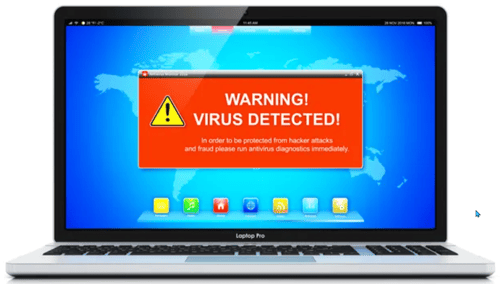
4. Pop-Ups, Ransom Notes, or “Security Alerts” Appear
Unexpected pop-ups demanding payment, fake antivirus warnings, or files that suddenly won’t open may indicate ransomware or scareware.
Never click or pay immediately.
This is one of the moments where speed + calm matters most.
5. Files Are Missing, Encrypted, or Renamed
If shared folders look different, files have strange extensions, or data seems to disappear, that’s often a sign of a breach in progress—or one that already happened.
6. Your Bank or Vendors Flag Suspicious Activity
Sometimes the first alert comes from outside your business.
Examples:
-
A bank freezes a transfer
-
A vendor questions an invoice
-
A customer reports unusual billing
These are often connected to compromised email accounts.
7. Security Alerts You Don’t Understand (or Don’t See at All)
If you’re getting alerts but don’t know what they mean—or worse, you never get alerts—your systems may not be properly monitored.
No alerts doesn’t mean no problems.
It may mean no one is watching.
What to Do Immediately If You Suspect a Hack
Step 1: Stop the Spread
-
Disconnect affected computers from the internet
-
Do not power everything off unless advised
-
Ask employees to stop logging in until told otherwise
Step 2: Do NOT “Clean It Up” Yourself
This is where many businesses make things worse.
Avoid:
-
Deleting files
-
Running random cleanup tools
-
Paying ransom without expert guidance
You could destroy evidence or trigger further damage. Many insurance companies will not pay out if there is anything has been altered.
Step 3: Contact Your IT Partner Right Away
Time matters.
The sooner professionals investigate, the more they can contain, recover, and protect.
If you don’t have an IT provider, this is exactly the moment you need one.
Step 4: Secure Accounts
Once it’s safe to do so:
-
Reset passwords (especially email and admin accounts)
-
Enable multi-factor authentication (MFA)
-
Review recent logins and activity
Step 5: Assess Impact & Recover Safely
A proper response includes:
-
Identifying what was accessed
-
Restoring clean backups (if needed)
-
Strengthening defenses to prevent repeat attacks
Many attacks happen again within weeks if root issues aren’t fixed.
How to Reduce Your Risk Going Forward
You don’t need to be a tech expert to be protected—but you do need a plan.
The basics that make a huge difference:
-
Multi-factor authentication for email and remote access
-
Regular backups that are tested
-
Employee phishing awareness training
-
Ongoing monitoring (not just antivirus)
Most successful attacks exploit simple gaps, not advanced hacking.
Frequently Asked Questions
What are the common signs your business has been hacked?
Common signs include unusual login activity, slow systems, unexpected data changes, unauthorized transactions, and frequent system crashes.
What should you do if your business is hacked?
Immediately disconnect affected systems, contact your IT provider, change passwords, and initiate a cybersecurity response plan to minimize damage.
How can businesses prevent cyberattacks?
Businesses can prevent cyberattacks by implementing strong security measures like firewalls, multi-factor authentication, regular updates, and employee training.
Why is early detection of cyberattacks important?
Early detection reduces damage, minimizes downtime, and helps businesses recover quickly while protecting sensitive data and customer trust.
Final Thought: Trust Your Gut
If something feels off, it probably is.
It’s always better to investigate early and find nothing
than to wait and discover a major breach later.
If you’re unsure whether your business is properly protected—or just want peace of mind—getting a professional review can make all the difference.
Concerned that your business has been hacked? We can help, give us a call. 614-362-8201