
Okay, we need to talk. And before you panic—no, your system hasn’t been hacked. Yet. But if your password is anything ...
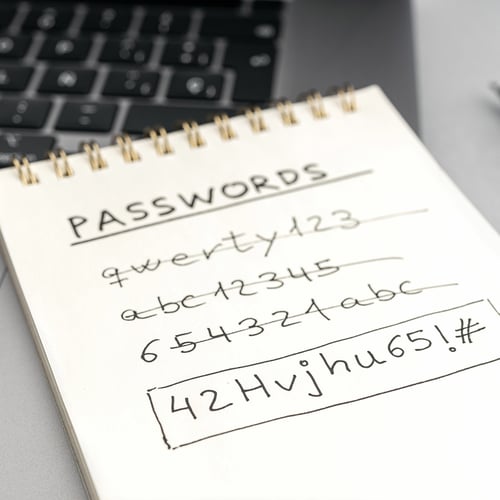
Okay, we need to talk.
And before you panic—no, your system hasn’t been hacked. Yet.
But if your password is anything like Buckeye123, Summer2020, or, heaven forbid, password1...
We’re staging a friendly little intervention.
Because listen—we get it. You’ve got a million things to do. You don’t have time to remember a unique 16-character combination of symbols, letters, and the blood type of your firstborn.
But cybercriminals? They’re counting on that.
🙈 “But I Only Use That Password for Unimportant Stuff…”
Famous last words.
Here’s the thing: hackers know we’re creatures of habit. So if you use the same password (or close variations of it) for your email, your Amazon account, your work login, and your 2013 fantasy football league, you’ve just opened the door to all of it.
They don’t need to “hack” anything.
They just guess once—and walk right in.
🛑 Here’s Why It Matters (Even If You’re Not a Tech Person)
- One bad password = access to everything.
- Business email compromise is one of the top ways attackers break in.
- Ransomware often starts with a single password leak.
- And no, “adding a 1 at the end” doesn’t help.
Oh, and if you’re still keeping passwords in a Word doc called “passwords.docx”... we need to talk privately.
So What Should You Do?
Here’s your non-judgy, business-leader-friendly password upgrade checklist:
✅ Use a password manager. Yes, even if it feels weird at first. These tools securely store all your logins so you don’t have to remember 27 different combos.
We like: 1Password, Bitwarden, or LastPass (with two-factor enabled, of course).
✅ Make it long & random. Use phrases or generated gibberish like: Ravioli!Waterfall$Lunchbox17
AVOID pet names, birth years, or anything a quick social media scroll could reveal. (Looking at you, Fluffy2018.)
✅ Enable Multi-Factor Authentication (MFA). Yes, that annoying code texted to your phone? It's actually your new best friend.
✅ Change your passwords every so often. Especially after a data breach.
Not sure if you've been compromised? Check haveibeenpwned.com. (Yes, it's real. Yes, it's safe.)
🙌 We’re Not Judging. We’re Just Helping You Stay Safe.
Here at Cloud Cover, we work with awesome business leaders across Ohio who are amazing at what they do—but maybe haven’t changed a password since 2009.
That’s okay. That’s why we’re here.
From setting up password managers to enforcing MFA and keeping systems locked down, we make cybersecurity feel less like a panic attack and more like a to-do list you’ve already checked off.
Frequently Asked Questions: Business Password Security
Why does my business need strong password protection?
Strong passwords and secure authentication are the first line of defense against cyberattacks. Weak or reused passwords make it easy for attackers to breach business accounts, leading to data theft, financial loss, or loss of customer trust. Implementing robust password protections reduces these risks significantly.
What makes a “strong” business password or passphrase?
A strong password or passphrase should be long (ideally 12–16+ characters), unique (never reused across accounts), and avoid obvious patterns or personal information. Passphrases - a sequence of random words or phrases - are often easier to remember and harder to crack.
Should a business use a password manager - and why?
Yes. A password manager helps store and manage complex, unique passwords for every account securely. It reduces the need for employees to remember multiple passwords, prevents reuse, and ensures that credentials remain encrypted and safe from manual storage vulnerabilities.
What is Multi-Factor Authentication (MFA), and why should my business adopt it?
MFA adds an extra layer of security beyond just a password - for example a code sent to a phone, a biometric check, or a security token. Even if a password is compromised, MFA helps prevent unauthorized access because the attacker would still need the second factor.
How often should passwords be changed or audited in a business setting?
Rather than mandating frequent password changes (which can lead to weak or reused passwords), it’s better to require password updates when there is reason to suspect a compromise - and to enforce periodic audits of password strength and usage.