
Malicious calendar invites are becoming a popular phishing tactic. Learn how ICS phishing works, what employees should ...
Malicious calendar invites are becoming a popular phishing tactic. Learn how ICS phishing works, what employees should watch for, and how businesses can protect Microsoft 365 users. You know not to click a suspicious email. But what about a meeting that suddenly appears on your calendar?
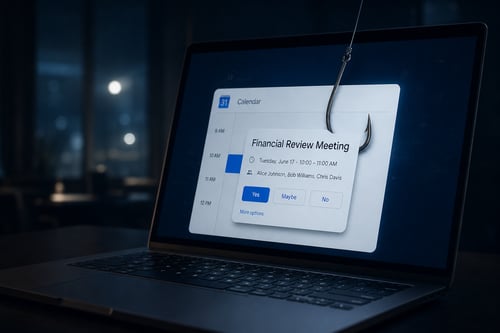 Cybercriminals are increasingly using calendar invitations as another way to get malicious links in front of employees. Instead of relying only on a traditional phishing email, attackers can use an
 .ics calendar invitation to create what looks like a legitimate meeting, security alert, document review, voicemail notification, or account issue.
And because we're conditioned to trust our calendars, the invitation may get a second look even when the original email would have raised suspicion. Security researchers have recently reported a dramatic increase in calendar-based attacks, including malicious ICS invitations designed to deliver phishing links and other threats.
That makes this a good time to remind your team:
Not everything on your calendar belongs there.
What is ICS phishing?
ICS is the standard file format used by Outlook, Google Calendar, Apple Calendar, and other scheduling platforms to exchange meeting information. Normally, that's incredibly useful. An invitation arrives. Your calendar application recognizes it. The meeting details, organizer, time, location, links, and description are displayed in a familiar format. Attackers can take advantage of that same process.
A malicious invitation might claim that:
- Your Microsoft 365 password is expiring
- A payment or invoice requires your approval
- A voicemail is waiting
- A document has been shared with you
- Your account has been suspended
- A meeting has been rescheduled
- An HR or benefits document requires review
- You need to join an unexpected Teams or Zoom meeting
The attacker then places a malicious link inside the calendar invitation. The goal is usually the same as traditional phishing: get someone to click.
Why are malicious calendar invitations effective?
Calendar phishing has a few characteristics that can make it particularly convincing.
1. Calendars feel trusted
People expect email to contain spam. They don't necessarily expect their calendar to contain it. Seeing something placed among legitimate meetings can make the request seem more credible.
2. Employees are used to clicking meeting links
Joining meetings from Outlook or Teams is something many employees do several times every day. Attackers are taking advantage of that muscle memory.
3. The invitation may remain visible
A suspicious email might quickly disappear into a junk folder or get deleted. A calendar event can remain visible as an upcoming appointment, creating additional opportunities for someone to click it later.
4. The attacker can manufacture urgency
A meeting called: URGENT: Microsoft Account Verification Required or Payroll Update – Action Required Today can trigger the same urgency attackers have traditionally created through email.
How can you recognize a suspicious calendar invitation?
The same basic security instincts that apply to email should now apply to your calendar. Before clicking a link, ask: Do I know the organizer? If you've never heard of the sender or don't recognize the organization, be cautious. Was I expecting this meeting? Unexpected calendar invitations deserve additional scrutiny. Does the message create unusual urgency? Microsoft, your bank, your payroll provider, or your IT department generally won't resolve an account problem by placing a surprise appointment on your calendar. Where does the link actually go? A button might say "Join Meeting" or "Review Document," while pointing somewhere completely different.
Is the invitation asking me to enter my password?
Be especially suspicious if following the link leads to a Microsoft 365 login page you weren't expecting.
What should employees do with suspicious calendar events?
The safest response is simple: Don't click the link. Instead, contact your internal IT team or Cloud Cover. If the invitation supposedly came from a coworker, vendor, bank, Microsoft, or another trusted organization, verify the request using a communication method you already trust. Don't call a telephone number or use contact information contained in the suspicious invitation itself. And don't assume that declining the meeting makes the problem disappear. Your IT team may want to investigate the invitation, sender, domain, or links before it's deleted.
Technology helps, but employees still matter
Modern Microsoft 365 environments have much better security capabilities than they did just a few years ago. But cybersecurity is always a combination of technology, configuration, monitoring, and people.
A strong Microsoft 365 security strategy should include protections such as:
- Multi-factor authentication
- Modern email security
- Endpoint detection and response
- Security awareness training
- Appropriate Microsoft 365 security policies
- Regular monitoring and review
- A clear process for employees to report suspicious activity
Attackers constantly adjust their tactics. If employees learn to distrust suspicious emails but blindly trust calendar invitations, criminals will simply change where they attack.
Is your Microsoft 365 security keeping up?
Cybersecurity shouldn't depend on your employees recognizing every new trick criminals invent. Cloud Cover helps organizations manage and secure Microsoft 365 environments, protect endpoints, train users, monitor threats, and reduce the likelihood that a single click becomes a serious business problem. Seeing unusual calendar invitations or concerned about what may be getting through your Microsoft 365 security? Contact Cloud Cover. We'll help you take a closer look.